Home > Products > Desktop CO2 monitor > ZG106  
 
  ZG106
  ZG106R(RH)
  ZG116
  ZG1163
  ZG1163R(RH)
  ZGw08VRC
  ZGw08PR
  ZGw063
  ZGw063R(RH)
  ZG10U
  ZG01
  ZG02C
 
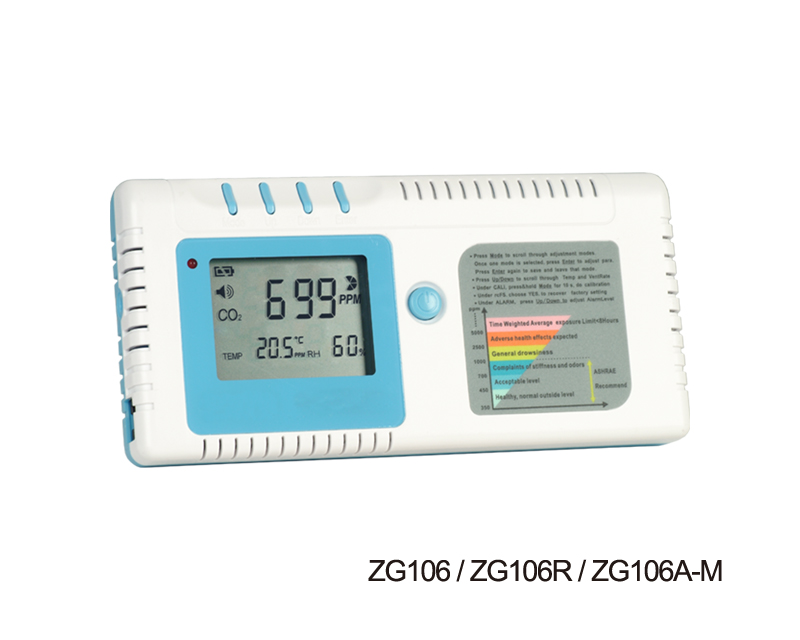
  ZG106 SERIES - ZG106 / ZG106A-M / ZG106A-H (Under Development)  
   
 
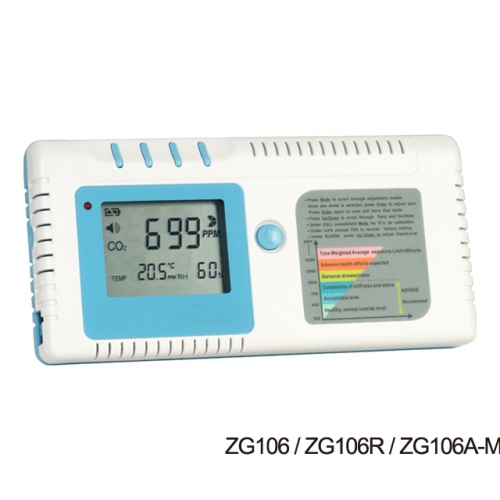
ZG106 / ZG106A-M / ZG106R(RH)
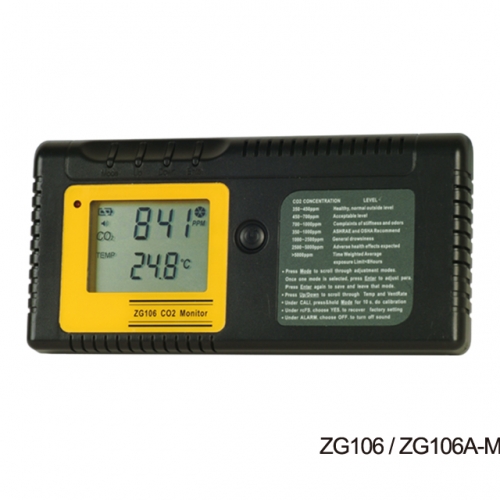
ZG106 / ZG106A-M
ZG106A-H
 
 
  1. Power Button
  8. Function Label
  2 .Enter Button
  9 .Gas Entry Hole
  3. Down Button
  10. Gas Entry Hole
  4. Up Button
  11. Rj45 socket
  5. Mode Button
  12. Housing Stand
  6. LCD Display
  13. Battery Cover
  7. LED Light
  14. AA Battery * 4
 
 
Features & Display Features and Modes
 
 
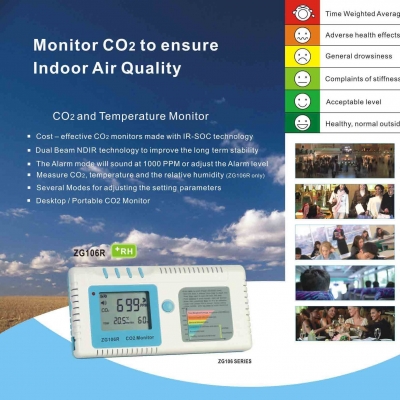
Ultra low cost CO2 Monitor achieved by New IR-SoC Technology
It uses NDIR technology to improve the long term stability
Portable, accurate handheld CO2 Monitor
The Alarm mode will sound at 1000 PPM or adjust the alarm level
Max/Min mode
 
 
Mode Funtion
 
 
  There are several Modes which we can adjust the setting parameters. These modes are Alti Mode,Alarm Mode, Outside Mode, Ucal Mode, Datalogger Mode, MaxMin Mode and rcFS Mode in sequence.
 
 
ALTI
  Compensate the pressure changes with appropriate altitude of location when measure.
ALARM
  Alarm while CO2 concentration exceed one threshold, Alarm sound can be on or off.
OUTSIDE
  Modify the outside CO2 concentration,for defining the ventilation rate.
CALI
  Calibrate the sensor while the reading deviates from the actual CO2 concentration.
DATALOGGER
  Show the past CO2 and Temperature records in the past 24 hours.
MaxMin
  Show the Max and Min CO2 reading before being cleared or powered off after Power On.
rcFS
  Recover the factory setting, if the device cannot show accurate reading.
 
 
Operation Instructions
 
 
PowerOn
  Press Power button( 1) to turn on the device after placing 4 AA batteries into the battery holder or AC adapter plug into the DC socket . Once power on, CO2 reading will show after 15 seconds of warm up.
WarmUp
  It lasts approximately 1min before WARMUP disappears; all the functions will not response during warm up.
UserMode  
  er warm up, the device will stabilize and display the normal CO2 Reading (Upper Display)- remain visible at all times.
Temp and
Ventilation Rates
(Lower Display)
 

The Up/Down button( 4/3 ) allows you to scroll through the Temperature and Ventilation Modes.  When pressing the Up botton,the lower display will go through the following sequence: TempºC -> TempºF -> Vent Rate lps -> Vent Rate cfm/p

  Note: lps refers to Liter Per Second Per Person; cfm/p refers to Cubic Feet Per Minute Per Person
Operation of Mode Adjustment
1.ALTI Mode: 
  1.1. Press the Mode Button( 5 ), ALTI flashs
  1.2. Press Mode( 5 ) to alter between m(meters) and ft(feet)
  1.3. Press Up/Down ( 4 /3 )to adjust the altitude (Step=100m/500ft)
  1.4. Press the Enter Button( 2 ), save or leave the ALTI Mode, return to UserMode
2.ALARM Mode
  2.1. Press the Mode button(5 ), until ALARM flashs
  2.2. Press Enter Button( 2 ), Show ALARM ,"speaker icon" flashs
  Press Up/Down( 4/3 ) to turn on/off the ALARM
  2.3. Press the Enter( 2 ), save the setting and return to UserMode.
3.OUTSIDE Mode
  Note:Ventilation Rate
  Ventilate rate represents how much air is introduced into the indoor space from the
  outside. Low values indicate low ventilation rates and potentially poor air quality.
  High levels indicate excessive ventilation and potential excessive energy usage.
 

To obtain an accurate measurement, reading should be taken 2~3 hours after

  occupancy has stabilized in a space or at a peak in daily CO2 concentrations. In indoor
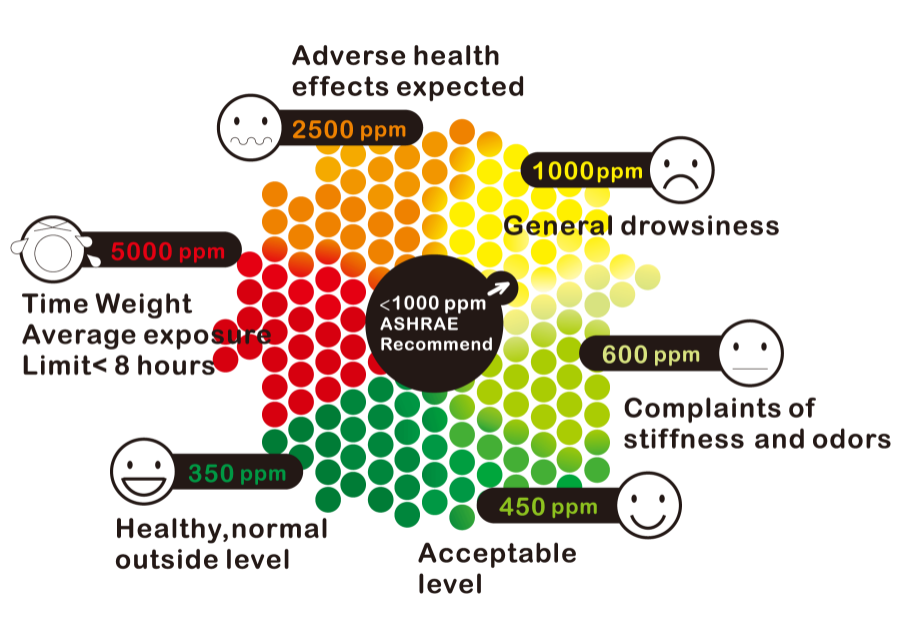
  air quality control, CO2 value is an indicator of ventilation rate. 400ppm (Parts Per
  Million) is the default CO2 concentration outside (according to ASHRAE: American
  Society of Heating, Refrigeration and Air conditioning Engineers)
  3.1. Press the Mode button( 5 ) ,until OUTSIDE flashs
  3.2. Press Enter( 2 ), show OUTSIDE, CO2 and PPM flash
  Press Up/Down( 4/3 ) to adjust the reading 
  3.3. Press the Enter( 2 ), save the setting and return to UserMode
  After modification, the VENT Rate will change
4. CALI Mode
  The CO2 monitor has been calibrated in the factory and should recalibrate every 12
  months with a specified concentration of CO2.Sensor drift usually occurs in linearity.
  Please follow below steps.
  4.1. If battery icon shows low power, please replace new batteries or use AC adapter
 

4.2. Press the Mode button( 5 ), until CALI flashs

  4.3. Press Enter( 2 ), CALI shows on display
  4.4. Adjust the lower display to ambient CO2 value by Up/Down ( 4/3 )Button.
  4.5. Press Mode button ( 5 ) more than 10 sec., CALIBRATING flashs.
  Calibration will be done after 10 min and LCD will appear "PASS".If LCD appear "FAIL",
  please calibrate once again.
  4.6. Press Enter( 2 ), return to UserMode
5. DATA LOGGER Mode
  ZG106 has a built-in datalogger , which can provide users the past CO2 and
  temperature readings within the past 24 hours.
  5.1. Press the Mode button( 5 ), until DATALOGGER flashs
  5.2. Press Enter( 2 ), CO2 and Temperature show up
 

Press Up/Down( 4/3 ) to page up/down the reading . 

  5.3. Press the Enter( 2 ), return to UserMode
6. MaxMin Mode
  ZG106 has a built-in MaxMin mode, which can provide users the Maximum and
  Minimum CO2 readings since the device has last been turned on.
  6.1. Press the Mode button( 5 ), until MAX MIN flashs
  6.2. Press Enter button( 2 ), MAX and MIN CO2 reading alternatively shows.
 

6.3. "CLR" will flash if press Up/Down( 4/3 )

  Press Enter( 2 ),to CLEAR the MAX and MIN record  
  6.4. Press Mode or Enter( 5 ), return to UserMode
7. rcFSMode
  If user set or calibrated the sensor wrongly, you can recover the factory setting
  7.1. Press the Mode button( 5 ), until rcFS flashs on the lower display
  7.2. Press Enter( 2 ), "no" shows on the upper display
  7.3. Press Up/Dow( 4/3 ), "no" change to "yes"
 

Press Enter( 2 ), Factory Setting will reload, return to UserMode;

  7.4. Press Mode( 5 ), leave rcFS Mode, return to UserMode
 
 
Specifications
 
 
  Method - NDIR
  Display - LCD
  ndependent CO2 and Temperature readings.
  Calculates and Displays Ventilation Rates
 

Sample Method - Diffusion or flow through (50 ~200 ml/min)


Performance - CO2
 
Measurement Range
Resolution
ZG106
0~3,000ppm
1ppm at 0~1,000ppm;
5ppm at 1,001~2,000ppm;
10ppm at 2,001~3,000ppm
ZG106A-M
0~10,000ppm
1ppm at 0~1,000ppm;
5ppm at 1,001~2,000ppm;
10ppm at 2,001~3,000ppm
20ppm at 4,001~6,000ppm;
40ppm at 6,001~10,000ppm;
0~50,000ppm
1ppm at 0~1,000ppm;
5ppm at 1,001~2,000ppm;
10ppm at 2,001~3,000ppm
20ppm at 4,001~6,000ppm;
40ppm at 6,001~10,000ppm;
100ppm at 10,001~50,000ppm;
Accuracy
  ±50 ppm or ±5% of reading
Repeatability
  ±20 ppm
Temperature Dependence
  ±0.1% of reading per °C or ±2 ppm per °C,
  whichever is greater, refer­enced to 25°C
Pressure Dependence
  0.13% of reading per mm Hg (Corrected via user
  input for altitude)
Response Time
  <2min for 63% of step change
Warm-Up Time
  <60 seconds at 22°C
Outputs
  OC: Normally Low,100mA max. @ 24VDC. Adjustable setpoint, factory setting is
  1000ppm,hysteresis is 50ppm
  One RJ-45 Connector digital output in RII protocol. 
  One Graphing Software ZyAura® View( Under developing )
Power Supply
  Two power supply types
  Battery type: Alkaline, AA* 4 (80 hours)
  External: 6 VDC from external AC/DC adapter which is included in package(Use
  specified AC adapter only)
  Power Requirement 160 mA Peak, 15 mA average from 6V
General Operating Conditions
  Operating Temperature: 32-122°F (0-50°C) 0-95% RH, non-condensing
  Storage Temperature: -4 to 140°F (-20 to 60°C)
Dimensions
  24.3×81.1×165 mm (0.96×3.19×6.50 inch)  
Weight (including batteries):
  273.6 grams(9.65 oz)
LCD ERROR MESSAGES
  The device incorporates visual diagnostic messages as follows:
  Error 3, it is displayed when the temperature
  being measured is outside of the measurement
  range.
  Error 5-6, it is necessary to reset the
  thermometer. To reset it, turn the instrument off, .
  remove the battery and wait for a minimum of one
  minute, reinsert the battery and turn on. If the error
  message remains please contact the Service
  Department for further assistance
Kinds of Adapters for your option
ACAeu
(for European ,
including
GermanItaly )
ACAgb
(for British,
including
Singapore、
BS1363 )
ACAau
(for Australia
New Zealand)
ACAus
(for American ,
including
JP、CN)
Available Packages
  Dimensions: 166*81*26mm
  Weight (including batteries): 279.5 g
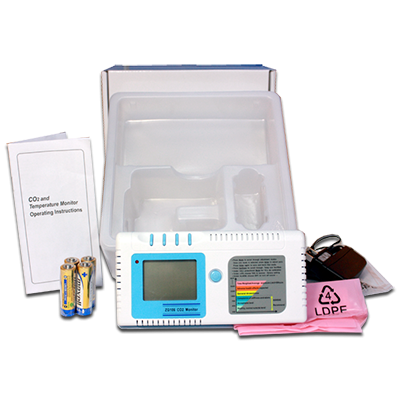
  One Set Included:
 
1 CO2 Monitor
 
4 AA Batteries
 
1 Power Adaptor
 
1 User Manual
 
1 White Box
 
1 Anti-ESD PE Bag (Pink)
 
1 PE Bag ( Package Power
    Adaptor)
  One Carton Included:
 
Q'ty: 20pcs PaperBoxes
 
White Box Size: 204*204*77mm
 
Carton Size:
    453(L)*442(W)*418(H)mm;
    2.95 Cube ft
 
N.W:
 
U.K Spec. Power Adaptor: 13.3 kgs
 
Europe Spec. Power Adaptor: 13.2
     
 
U.S Spec. Power Adaptor: 13.1 kgs
 
AU Spec. Power Adaptor: 13.8 kgs
 
G.W:
 
U.K Spec. Power Adaptor: 15.1 kgs
 
Europe Spec. Power Adaptor: 15.0
 
kgs
 
U.S Spec. Power Adaptor: 14.9 kgs
 
AU Spec. Power Adaptor: 15.6 kgs


TOTAL:


Copyright (c) 2006-2010 RADIANT INNOVATION INC. All Rights Reserved.